Quick answer
Coding for kids by age starts free, at your child’s reading level: screen-free robots at 4–5, ScratchJr at 5–7 and Scratch from 8. From about 10, children can move on to MIT App Inventor, a micro:bit or Python, all free; 20–30 minutes a few times a week is plenty.
We earn from qualifying purchases made through links on this page. How this works
What does “coding for kids” actually mean?
Coding is writing instructions precise enough for a computer to follow. For children, the language matters less than the habits it builds:
- Breaking a problem into steps: “make the cat walk to the door, then meow.”
- Getting the order right: sequencing.
- Spotting repetition: loops.
- Making choices: if this, then that.
- Finding out why it went wrong: debugging.
Educators call these habits computational thinking. Our App Inventor guide explains them in more depth.
Block coding is real coding. Most children start with blocks: drag-and-drop pieces that snap together like a puzzle. Nothing can be misspelt, so children spend their effort on the logic. Later they move to typed languages such as Python or JavaScript. Every guide we read follows that order: blocks first, text later, with the switch timed by readiness rather than a birthday.
Which coding tool suits each age?
This table pulls together the stages the leading guides recommend. The age ranges come from each tool’s maker where one exists, and the rest are our suggestions. Treat them as rough bands: a keen 6-year-old reader may be ready for Scratch, and a 12-year-old beginner can skip ScratchJr entirely.
| Age (US grade) | Stage | Start with | Cost | What your child learns |
|---|---|---|---|---|
| 4–5 (Pre-K–K) | Unplugged and screen-free | Floor robots (Botley, Code & Go Robot Mouse), “program the parent” games, coding board games | Toys cost money; games are free | Sequencing, directions, cause and effect, first debugging |
| 5–7 (K–2) | Picture blocks | ScratchJr (official age 5–7); CodeAI’s block coding for ages 5–11 | Free | Sequences, simple loops, events; making a story or game |
| 8–11 (3–6) | Full block coding | Scratch (official age 8–16); CodeAI courses | Free | Variables, conditionals, loops, broadcasting, sharing and remixing |
| 10–14 (5–8) | Real devices | MIT App Inventor (phone apps) or micro:bit with MakeCode (official age 8+) | Free software; micro:bit board is a small purchase | Events, sensors, lists and procedures; code that runs on real hardware |
| 10+ (5+) | Typed code | Python (Raspberry Pi Code Editor, ages 7+; micro:bit Python, 11+), then HTML/CSS/JavaScript | Free | Syntax, functions and reading error messages: the bridge to “grown-up” code |
Where the ages come from:
- Scratch and ScratchJr: the Scratch Help Center says “Scratch is intended for 8-16 year olds, and ScratchJr is intended for 5-7 year olds”, and that the choice comes down mostly to reading level and comfort with a keyboard.
- micro:bit: the Micro:bit Educational Foundation says the board is designed for ages 8+. It lists the blocks editor at 8+ and its Python editor at 11+.
- The other ages in the table are our own suggestions, based on how much reading and typing each tool needs.
How can young children learn coding without a screen?

Young children can learn coding with a toy they program with buttons or cards, or with games that need nothing at all. Many parents want coding that doesn’t add to screen time. You press forward, forward, turn, then go, and watch whether it arrives where you meant it to. When it doesn’t, your child has just met debugging.
Free ideas to try today, no purchase needed:
- Program the parent. Your child writes arrows on paper (↑ ↑ → ↑) to steer you to the sofa. Follow them exactly, including walking into the coffee table if that’s what the code says.
- Kitchen algorithms. Ask your child to tell you, step by step, how to make a jam sandwich. Do only what they say.
- Pattern loops. Clap-clap-stomp, repeated three times, is a loop. Ask them to write the “code” for a dance.
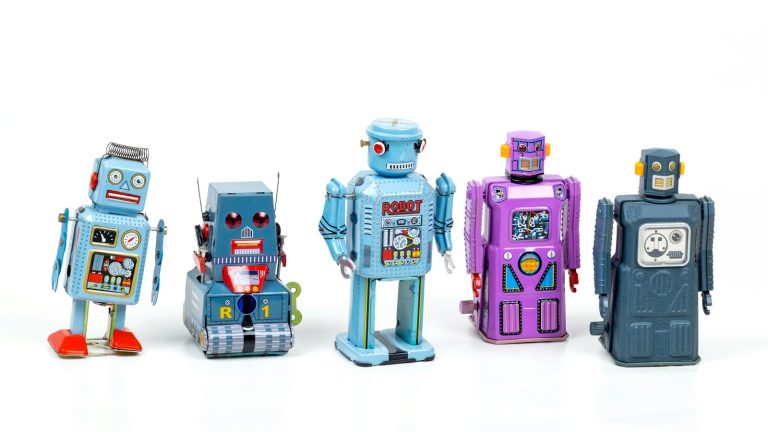
Raspberry Pi Foundation’s Marc Scott suggests programmable toy robots from about age 4, once children have the motor skills. The products below are the ones that came up most often across the toy guides we read, starting with Botley and the Code & Go Robot Mouse. We list them as options, not as products we have tested.
| Product | Ages (maker) | Screen-free? | Why guides pick it | |
|---|---|---|---|---|
| Learning Resources Botley 2.0 Coding Robot Activity Set | 5–7 on the listing | Yes. Programmed with a handheld remote | The most-recommended screen-free robot in the guides we read; builds from simple sequences towards loops | View on Amazon |
| Learning Resources Code & Go Robot Mouse Activity Set | 4+ | Yes. Buttons on the mouse, plus coding cards and a maze | A favourite for preschoolers; children build the maze, then code the mouse to the cheese | View on Amazon |
| BBC micro:bit V2 Go bundle | 8+ (official) | No. Coded on a computer or tablet, but runs on its own | A tiny programmable board with LEDs, buttons and sensors; the next step from floor robots to real electronics | Where to buy (micro:bit Foundation) |
| Coding Games in Scratch (DK, 2024 US edition) | 9–12 (publisher) | Book (used alongside Scratch) | Step-by-step game projects; recommended by two of the guides we read | View on Amazon |
Our guides go deeper: Botley 2.0 (the 78-piece set, batteries, the 150-step limit and what to check when it ignores a program), the Code & Go Robot Mouse (which of the Code & Go sets to buy, and why the mouse drifts) and Coding Games in Scratch. Everything we recommend is also in the toolkit.
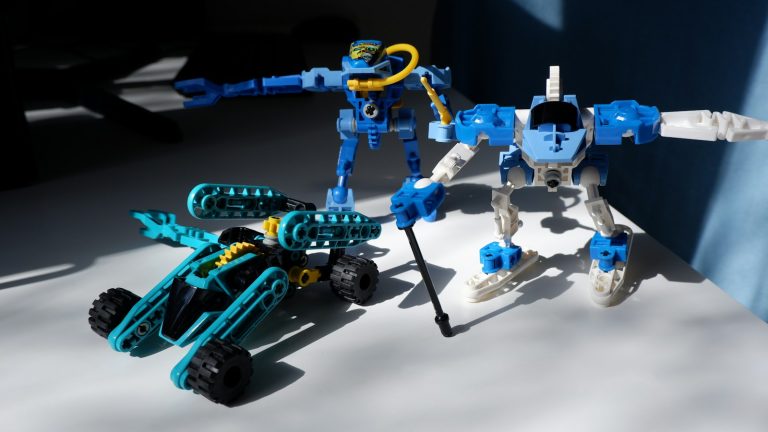
Robotics for older kids. Two of the guides we read point older children (around 10+) towards LEGO robotics kits such as LEGO Education SPIKE Prime. Others name app-controlled robots such as Sphero. These cost considerably more than a floor robot, so it is worth trying a school or library robotics club first.
Which coding tools are free, and what do the paid apps offer?
ScratchJr, Scratch, CodeAI, MIT App Inventor, the micro:bit editors, the Raspberry Pi projects and Swift Playgrounds are free. Tynker, CodeMonkey, codeSpark, Kodable and Hopscotch charge a subscription for their full content, and most offer a free trial or a free tier.
What we checked. Costs were checked on each company’s own site or app-store listing; prices below are as of November 2026. They change, so the company’s site shows the current one. Free tools are listed first, because they are where nearly every guide we read tells parents to start.
| Tool | Ages | Cost (as of November 2026) | Platform | What it teaches |
|---|---|---|---|---|
| ScratchJr | 5–7 (official) | Free, no in-app purchases | iPad, Android tablets, Chromebook | Picture-block sequences, simple loops, stories |
| Scratch | 8–16 (official) | Free | Web browser; offline app | Full block coding: games, animations, variables, sharing |
| CodeAI (formerly Code.org) | 5–11 and 11+ tracks | Free | Web browser | Block coding, AI basics, then App Lab, Game Lab, Web Lab |
| MIT App Inventor | No official minimum; we suggest 10+ alone | Free | Browser + Android or iPhone | Phone apps: events, sensors, lists, procedures |
| micro:bit (MakeCode / Python) | 8+ (blocks), 11+ (Python) | Free editors; board purchase | Browser; physical board | Physical computing: buttons, LEDs, sensors, radio |
| Raspberry Pi projects and Code Editor | Editor: 7+ (official) | Free | Web browser | Scratch, Python and web projects with step-by-step guides |
| Swift Playgrounds | No official age; guides say about 10+ | Free | iPad, Mac | Typed Swift through puzzles, then real apps |
| Tynker | 5–18 (maker) | Subscription: $15/mo billed yearly ($180), $18/mo billed quarterly ($54), or $468 lifetime; up to 3 children; 30-day money-back | Browser, iPad and mobile apps | Guided block-to-Python path, Minecraft modding |
| CodeMonkey | 5–14 (maker) | Subscription: Individual $7/mo billed yearly or $10/mo quarterly; Family (3 children) $12/mo yearly or $18/mo quarterly | Browser, apps | Game-based puzzles, CoffeeScript and Python |
| codeSpark | 3–10 (App Store listing) | Free download, then a subscription after a free trial; the US App Store lists “Enrollment” purchases from $7.99 to $99.99 without naming the plans | iOS, Android, browser | Word-free puzzles, sequencing, loops, conditionals |
| Kodable | K–5 | Free “Kickstart” tier for schools; home plans $24.99 monthly, $119.99 yearly or $199.99 lifetime, up to 4 children, 7-day free trial | Browser, iPad | Maze puzzles moving towards JavaScript |
| Hopscotch | App Store rating 4+; guides say 5+ to 10+ | Free download; optional subscription, $9.99 monthly or $79.99 yearly, on the US App Store | iPad, iPhone | Make-and-share games with blocks |
How the picks were chosen. We read the pages that rank for “coding for kids” and the main “best coding apps” guides, then counted how many independent pages recommended each tool. Pages praising their own product weren’t counted.
- ScratchJr and Scratch: each recommended by six of the ten pages.
- CodeAI/Code.org, Kodable and Python: four each.
- codeSpark and Hopscotch: three each.
- Tynker: two independent mentions.
Several of the highest-ranking pages are written by companies that sell coding classes. Their advice isn’t wrong, but it tends to end at their own course.
A note on Code.org’s new name
If you have used Code.org before, you’ll find it has changed. The nonprofit renamed itself CodeAI in June 2026, and its footer now lists “Code.org” as a former trademark.
- What it offers now: coding plus AI and “digital fluency”. Its student page offers free block coding for ages 5–11, and self-paced courses with App Lab, Game Lab and Web Lab for ages 11 and up.
- Hour of Code: the annual Hour of Code became the Hour of AI for Computer Science Education Week in December 2025. Some school letters still use the old name.
- This year: the Hour of AI site gives Computer Science Education Week as December 7–11, 2026, with new activities from November 16.
- Elementary courses: CodeAI still lists its free Computer Science Fundamentals curriculum for grades K–5 (the lettered Course A–F sequence), and Course A still opens on its course site under the CodeAI name.
Where does MIT App Inventor fit?
For a child of 10 to 14 who has done some Scratch and asks “can I make a real app for my phone?”, MIT App Inventor is the most direct free answer.
- How it works: it uses the same snap-together blocks as Scratch, but the result runs on an actual Android phone or iPhone.
- What it can use: the phone’s camera, speaker and motion sensor.
- Who uses it: MIT reports over 24 million learners in 195 countries.
Read our full guide: MIT App Inventor for kids: computational thinking, what to build first, age fit and setup →
How do you get started this week?

You don’t need to know how to code. Every guide we read, from a developer-parent on the Stack Overflow blog to the Raspberry Pi Foundation, makes the same point: sit alongside, keep it fun, and let your child drive.
- Pick one tool from the age table. Only one. ScratchJr for under-8s, Scratch for 8 and up, a floor robot if you want to avoid screens.
- Do the first 20 minutes together. Show one thing, then hand over the mouse or tablet. Step in only when they ask or get visibly frustrated.
- Give a tiny goal. “Make the cat say your name and spin round” beats “learn to code.”
- Ask, don’t fix. “What did you expect to happen? What happened instead?” is the most useful sentence in coding.
- Watch whether they go back to it. If your child returns to it without being asked, you’ve found the right tool. If not, try a different tool before deciding coding “isn’t for them”.
- Connect it to what they already love. Art, music, animals, football statistics and Minecraft are all ways in.
- Keep sessions short. Two or three sessions of 20–30 minutes a week work better than one long one.
Should you pay for a coding class or stick with free tools?
Start with free tools, and pay only when your child wants more structure or company than they give. “Coding school for kids” can mean very different things:
- A self-paced subscription app (Tynker, CodeMonkey, codeSpark).
- A small-group live class online or in person.
- One-to-one tutoring.
- A free volunteer club such as Code Club, run by the Raspberry Pi Foundation for school-aged young people.
None is automatically better. A useful way to decide:
| Your situation | Good fit |
|---|---|
| Child is curious, you want to test interest | Free tools (ScratchJr, Scratch, CodeAI) |
| Child likes games and wants a clear “next level” | A paid self-paced app, after a free trial |
| Child is stuck, or needs accountability | A live class or tutor |
| Child wants friends who code | A free club, library programme or school robotics team |
| Homeschool family needing a full CS sequence | CodeAI’s free courses, or a paid app with a parent or teacher dashboard |
Before paying, check:
- The trial and cancellation terms. Tynker offers a 30-day money-back guarantee on its site.
- How many children one plan covers.
- Whether it works on the device you own.
- For live classes: the teacher’s background, the group size, and whether your child builds their own projects or only follows along.
Live-class prices vary widely; ask for a trial lesson.
What should teachers and homeschoolers use?
CodeAI’s free courses, Scratch, the micro:bit and the Raspberry Pi Foundation’s projects together make a full sequence at no cost.
- A free, structured sequence. CodeAI’s courses run from elementary through high school and are free for schools and families. Pair them with Scratch for open-ended projects.
- Hardware on a budget. The micro:bit is used across elementary, middle and high school, and its official MakeCode and Python editors are free.
- Ready-made projects. The Raspberry Pi Foundation’s projects site has free, step-by-step Scratch, Python and web projects you can set as weekly tasks.
FAQ
What age should kids start coding? There is no single right age.
- 4 or 5: sequencing with screen-free robots and games.
- 5–7: ScratchJr, which is designed for this age.
- 8–16: Scratch, its intended range.
- About 10 or 11: most children are ready for typed code such as Python once they type comfortably.
What is the best free coding program for kids? ScratchJr (5–7) and Scratch (8–16) are the most recommended. They are free and carry no ads. CodeAI, MIT App Inventor, the micro:bit editors and the Raspberry Pi Foundation’s projects are also free.
Is Code.org still free now that it is called CodeAI? Yes. Its site says student courses, tools and activities are free. The June 2026 rename reflects a broader focus on AI and digital skills alongside coding.
Should I pay for a coding app or class? Start free. Pay when your child wants more structure than free tools give, and use the free trial to see whether they go back to it by themselves.
Is Python too hard for kids? Not for most 10- and 11-year-olds who type comfortably and have done some block coding. Younger children usually get further with Scratch first.
Do I need to know how to code to teach my child? No. Sit alongside, ask questions, and let them keep control of the mouse.
Is coding screen time? It can be, but it doesn’t have to be. Floor robots, coding board games and unplugged games teach the same ideas without a screen.

Ask a question or share what worked